Sora Series


 Aquasense X Serie

 Aquasense® 2 Serie


 Skimmer Series

 Zubehör


A pool robot cable that twists around itself, gets caught on steps, or blocks the robot’s path is one of the most common problems with corded robotic pool cleaners. In many cases, the cause is cable memory: the cable keeps the shape it had during storage and forms loops again once it is placed in the water.
The result is easy to notice. The robotic pool cleaner no longer covers the whole pool, moves unevenly, or drives over its own cable loops. In most cases, the problem can be reduced without replacing the robot. The key is to use the right cable length, remove cable twists, check the swivel, and store the cable correctly after each cleaning cycle. If you want to remove the problem completely, a cordless pool robot can be a more convenient alternative.
Why does a pool robot cable get tangled?
The most common reason is cable memory. If the cable has been stored for weeks tightly wrapped around a caddy, inside a box, or in small loops, the outer jacket tends to keep that shape. Once the pool robot is placed in the water, the same loops return and may turn into knots while the robot is moving.
Incorrect cable length can also cause trouble. If the cable is too long for the pool, too much excess cable floats in the water. The robot may drive over those loops and increase the twisting. If the cable is too short, it pulls the robot backwards and limits its cleaning coverage.
Another important part to check is the swivel. This rotating connector allows the cable to turn when the robot changes direction. If it is blocked, dirty, worn, or missing, every turn of the robot adds more twist to the cable until a tight tangle forms.
How to remove cable memory
If the cable always returns to the same spiral shape, start by unwinding it completely. Lay it straight on a flat surface for two to three hours, preferably on a warm and sunny day. The heat helps soften the outer jacket slightly and reduces the internal tension in the cable.
If the cable is still twisted after this step, let it float freely in the pool overnight, if the manufacturer allows the cable to be separated from the robot. Do not tie it with cable ties or leave it in tight loops. The next day, remove it slowly from the water, stretch it along its full length, and check whether the twisting has reduced.

What cable length does your pool need?
As a simple rule, the useful cable length should cover the diagonal of the pool plus about one metre of extra margin. For example, in a rectangular pool measuring 8 × 4 metres, the diagonal is around 9 metres. In this case, a cable of around 10 metres is often enough.
If the cable is much longer than necessary, the extra length can float in the water and interfere with the robot’s navigation. Never cut the cable yourself. Instead, keep the unused length outside the water with a suitable cable guide or loose cable tie, without tightening it too much.
If the cable is too short, order a compatible replacement cable from the manufacturer. A generic cable may not fit the connector, swivel, seal, or electrical system of your robotic pool cleaner.
Check and replace the swivel
The swivel is the rotating part between the cable and the robot. Its job is to let the cable rotate when the robot changes direction, preventing twist from building up during the cleaning cycle.
To check it, hold the cable with one hand and gently rotate the robot with the other. The swivel should move smoothly, without resistance. If it feels stiff, makes noise, locks, or does not rotate properly, it may need to be replaced.
Before buying a replacement, always check the exact model reference of your robotic pool cleaner. Swivels are not universal. The wrong part may not seal correctly, may put stress on the cable, or may not be compatible with the robot’s connector.

How to prevent cable tangles during everyday use
Before each cleaning cycle, unwind the cable completely and place it loosely along the pool edge. Check that there are no knots, tight loops, or twisted sections before putting the robot into the water.
The position of the power supply also matters. Ideally, place it near the centre of the longest side of the pool. This gives the cable more room to follow the robot’s direction changes and reduces the chance of the cable crossing over itself.
After the cleaning cycle, take the cable out of the water slowly and let it drain. Do not wrap it tightly around the caddy. Store it in large, loose loops or in a figure-eight shape. This type of storage helps prevent cable memory from returning.
Avoid leaving the cable in direct sunlight for long periods when it is not in use. Heat and UV exposure can make the outer jacket harder and more brittle over time. Storing the cable dry, shaded, and without sharp bends helps extend its lifespan.
Cordless pool robot: an alternative without cable tangles
If the cable continues to cause problems despite these steps, or if your pool shape makes cable management difficult, a cordless pool robot can be a more practical solution. This is especially useful for freeform pools, wide steps, shallow platforms, narrow coping areas, or pools where the cable often gets caught.
Corded robotic pool cleaners, including well-known models from brands such as Maytronics Dolphin, are still limited by the same physical constraints: cable twist, cable memory, possible tangling, and the need to match the cable length to the pool. These limitations come from the corded design itself and do not necessarily mean that a specific model is poor quality.
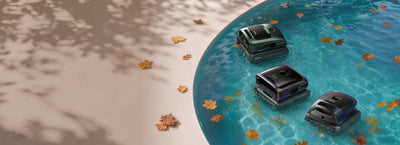
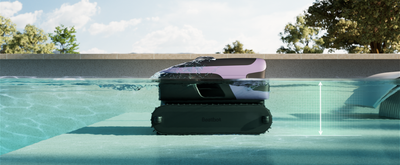
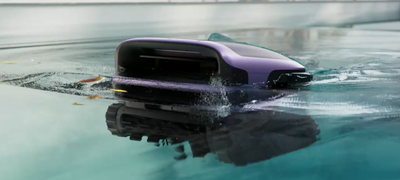
The Beatbot Sora 70 is a cordless pool robot with a 10,000 mAh battery and up to 5 hours of floor-cleaning runtime. It is designed for pools up to 300 m² and removes the need to unwind, store, or untangle a cable. Without a cable, the robot can move more freely through the pool and automatically park at the water surface after the cleaning cycle.
For larger pools or users who also want water surface cleaning, waterline cleaning, and more advanced water-care support, the Beatbot AquaSense 2 Pro is another cordless option. It has a 13,400 mAh battery, covers pools up to 360 m², and includes the ClearWater™ kit, designed to help improve water clarity when installed and activated through the app.

FAQs
Can you repair a damaged pool robot cable?
If only the outer jacket has a small mark and no internal wires are visible, it may be temporarily protected with waterproof insulating material suitable for wet environments. If the internal conductors are damaged or exposed, the entire cable should be replaced. A damaged electrical cable in water can be a safety risk.
How long does a pool robot cable last?
With proper use and storage, a pool robot cable can often last around five to eight years. Direct sunlight, tight bends, pulling on the cable, and storing it in small loops can shorten its lifespan.
Why does my pool robot cable keep twisting?
The most common causes are cable memory, incorrect cable length, or a swivel that is not working properly. If the cable is stored too tightly or the robot often drives over excess cable, twisting is likely to return.
How should I store a pool robot cable?
Store the cable dry, shaded, and in large loose loops. A figure-eight shape is also a good option. Avoid wrapping it tightly around the caddy, as this encourages cable memory.
Is a pool robot swivel universal?
No. Swivels vary by brand and model. Before buying a replacement, check the exact product reference and use original or manufacturer-recommended parts whenever possible.
Does a cordless pool robot clean as well as a corded model?
Modern cordless pool robots offer strong cleaning performance and enough battery life for many private pools. They also remove cable tangling completely, which is especially useful for pools with steps, platforms, or irregular shapes.